To cancel leave through the Employee Self Service Portal you simply need to click the 'Leave' option on the left side of the screen: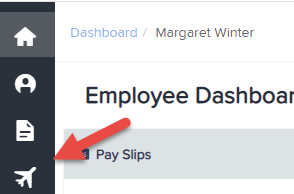
It will show leave details such as:
- Leave Type and the associated amount of leave accrued (if configured at the business level)
- Leave Requests
- Leave History
In order to cancel leave you need to:
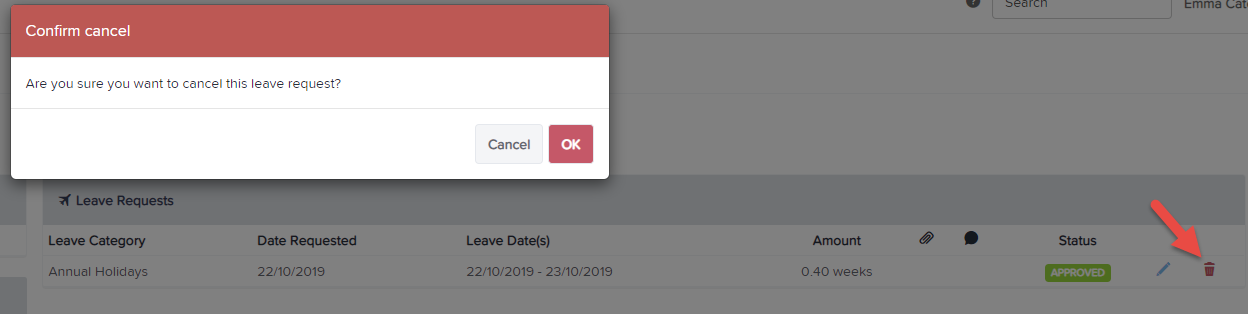
- Look under the 'Leave Requests' heading. This will list all Leave Requests, regardless of status (pending, approved etc).
- Click on the red bin to delete the request
- A dialogue box will open that will ask you to confirm the cancellation request.
- Once you click 'Ok', a message will appear that will say 'Leave request has been cancelled':