In order to view or download pay slips through the Employee Self Service Portal you simply need to click the Documents icon > 'Pay slips' option on the left side of the screen: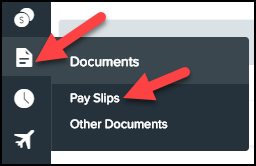
The next screen will allow you to choose the pay period for which you want to view or download a pay slip for.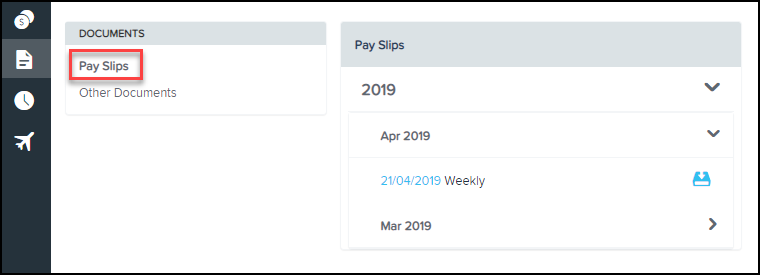
You can then click on the required date to view your pay slip. You also then have the option to download the pay slip as a PDF, or have it emailed. The email will be sent to the address supplied in your employee details.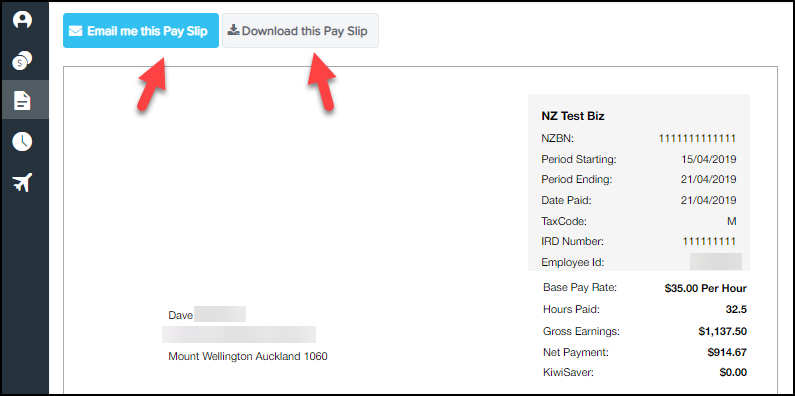
Downloading Pay Slips
