
As a new employee, you are now able to be a part of the setup process with the introduction of Employee Self Setup (also known as onboarding).
What can be a tedious process of paperwork moving back and forth has been turned into a faster, more accurate, and simpler method thanks to this feature.
The process is started by your employer after which time you will receive an email with a link to the Employee Self Setup wizard:
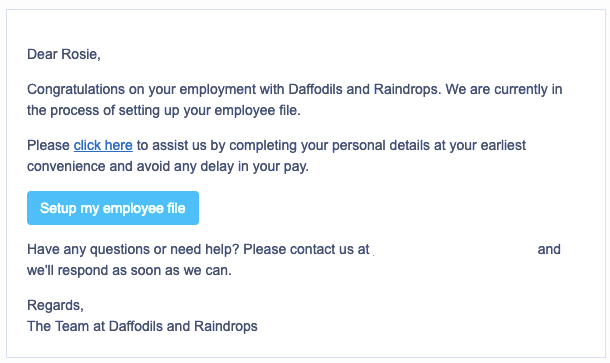
Once you click the link you will then proceed to the Self Setup wizard to start the process. It consists of 6 steps but you are able to skip any page for completion at a later date if necessary. The steps are:
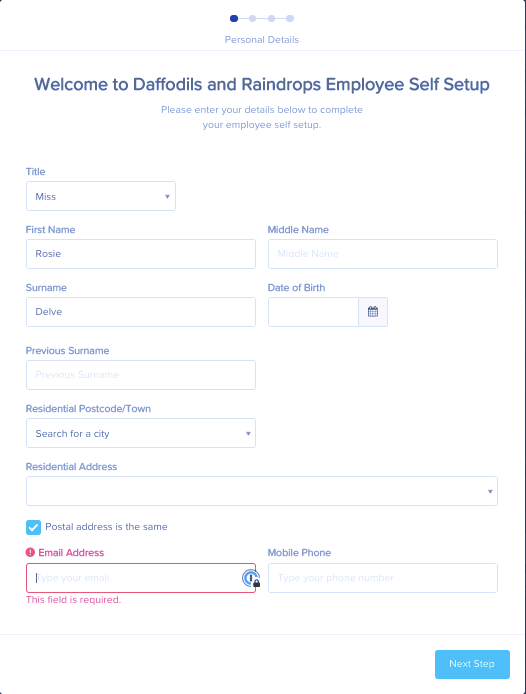
- Personal Details - Name, date of birth, address, email and phone number. Some of this information will be pre-populated from the Initiation process performed earlier by the employer.
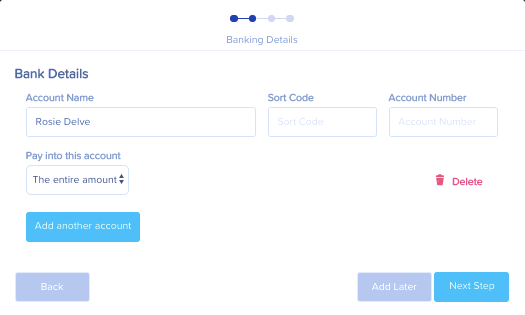
- Banking Details - You are able to add multiple bank and select how much of your pay is to go into each account.
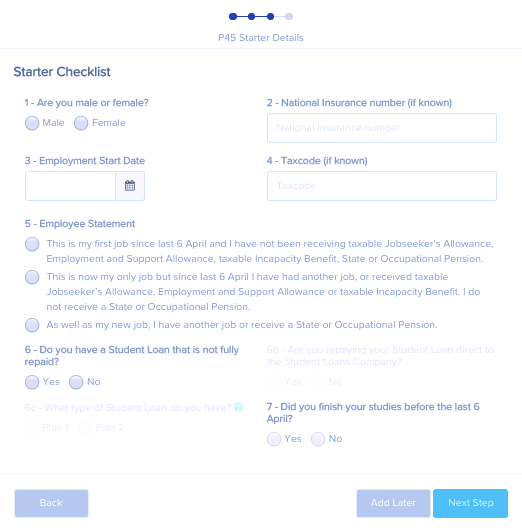
- P45 Starter Details - You are able to submit your P45 details and complete the declaration on this page. If you do not have all of the details you can add this in later by clicking the add later button.
- Emergency Contact Details - If the employer has requested that Emergency Contacts be added as a part of the Employee Self Setup, you will be able to add them here.
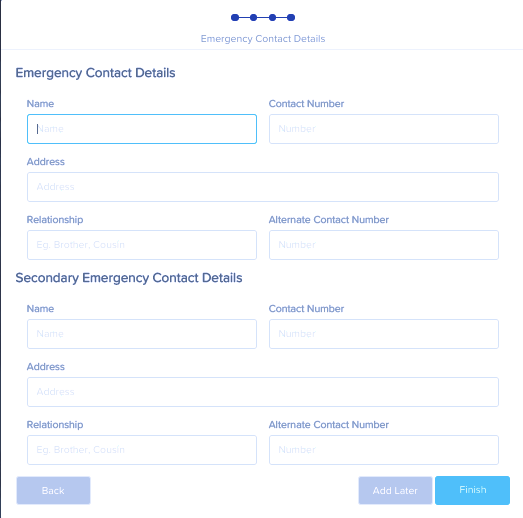
Once you click 'Finish' you will be reminded of any steps that have not been completed, or have unsaved changes.
You can click on any of the links to be taken to that page if you would like to complete/save changes OR select the 'Click here' button to finish the process:
After the 'Click here' button is selected, Employee Self Setup is complete:
Please note that once you have 'Finished' the process, you are NOT able to come back and make changes. The Self Setup will be closed and further changes must be made through your employer or your Employee Portal (if you have been given access).
Now that the Employee Self Setup has been completed, an email will be sent to all payroll admins that are registered to receive Self Setup emails. Clicking the link in the email will allow the employer to view the new employee information. Once the employer reviews and adds other required information, you - the employee - will be available for future pay runs.
If the employer has given you Employee Portal access, you will also receive an email containing a link to set this up.