
In order to download payment summaries through the Employee Self Service Portal you simply need to click the 'Payment Summaries' option on the left side of the page. N.B. This option is only available in the case where STP data has not been lodged on your behalf :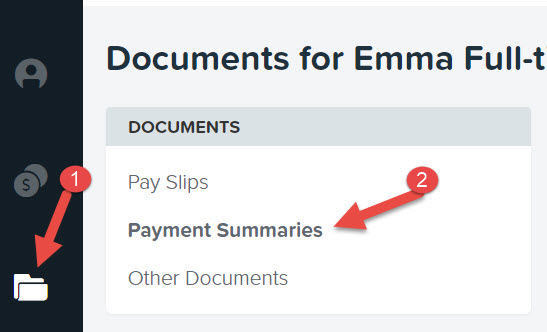
The next screen will list the financial years for which payment summaries are available. The two options that are available include:
- Opening the payment summary in a new screen. To do this you simply click on the financial year that you are interested in.
- Downloading the payment summary as a PDF. To do this you simply click the 'Download' button to the right of screen.
